Resources
Introduction
This module displays resource consumption.
Key metrics
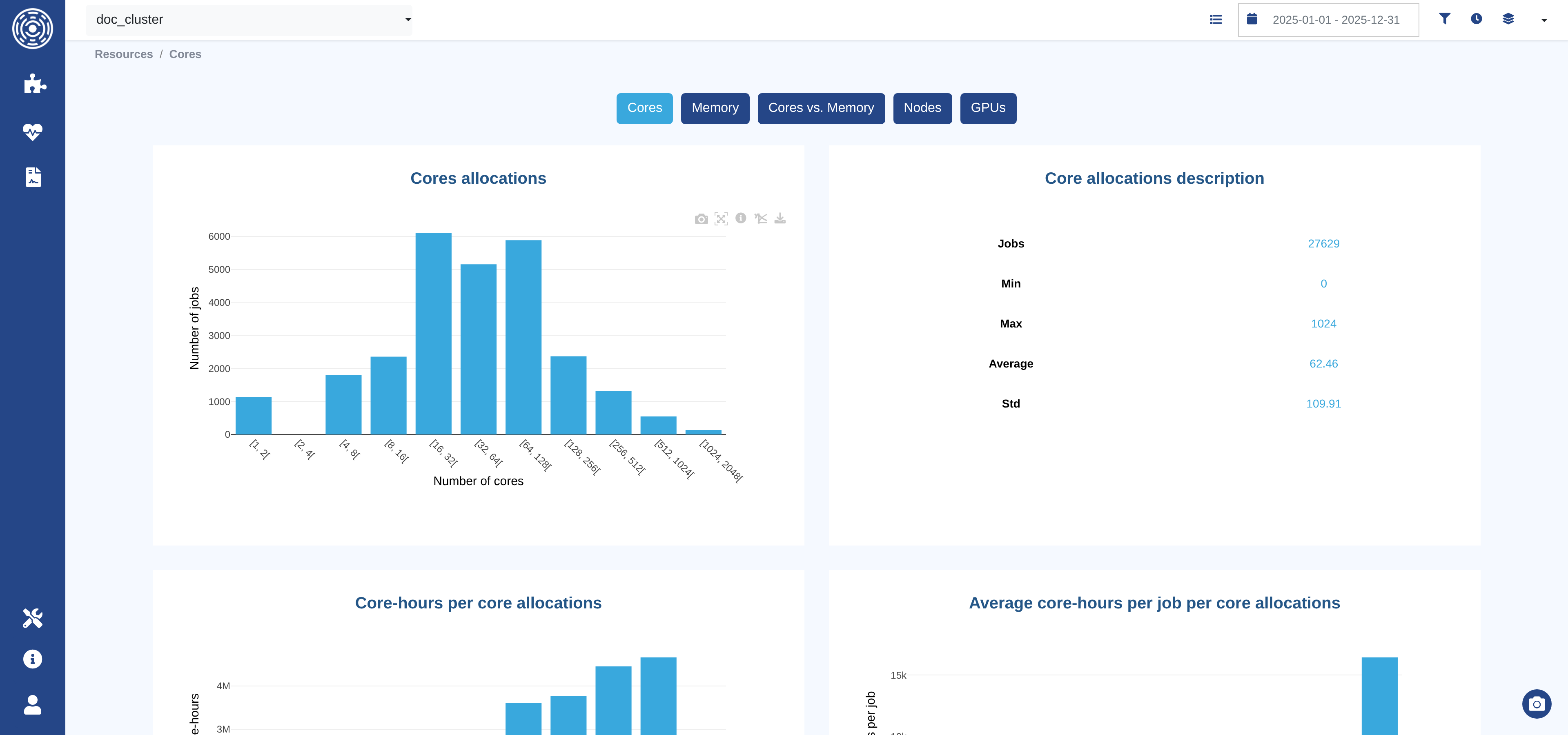
Number of cores, nodes and GPUs allocated
Requested and consumed memory
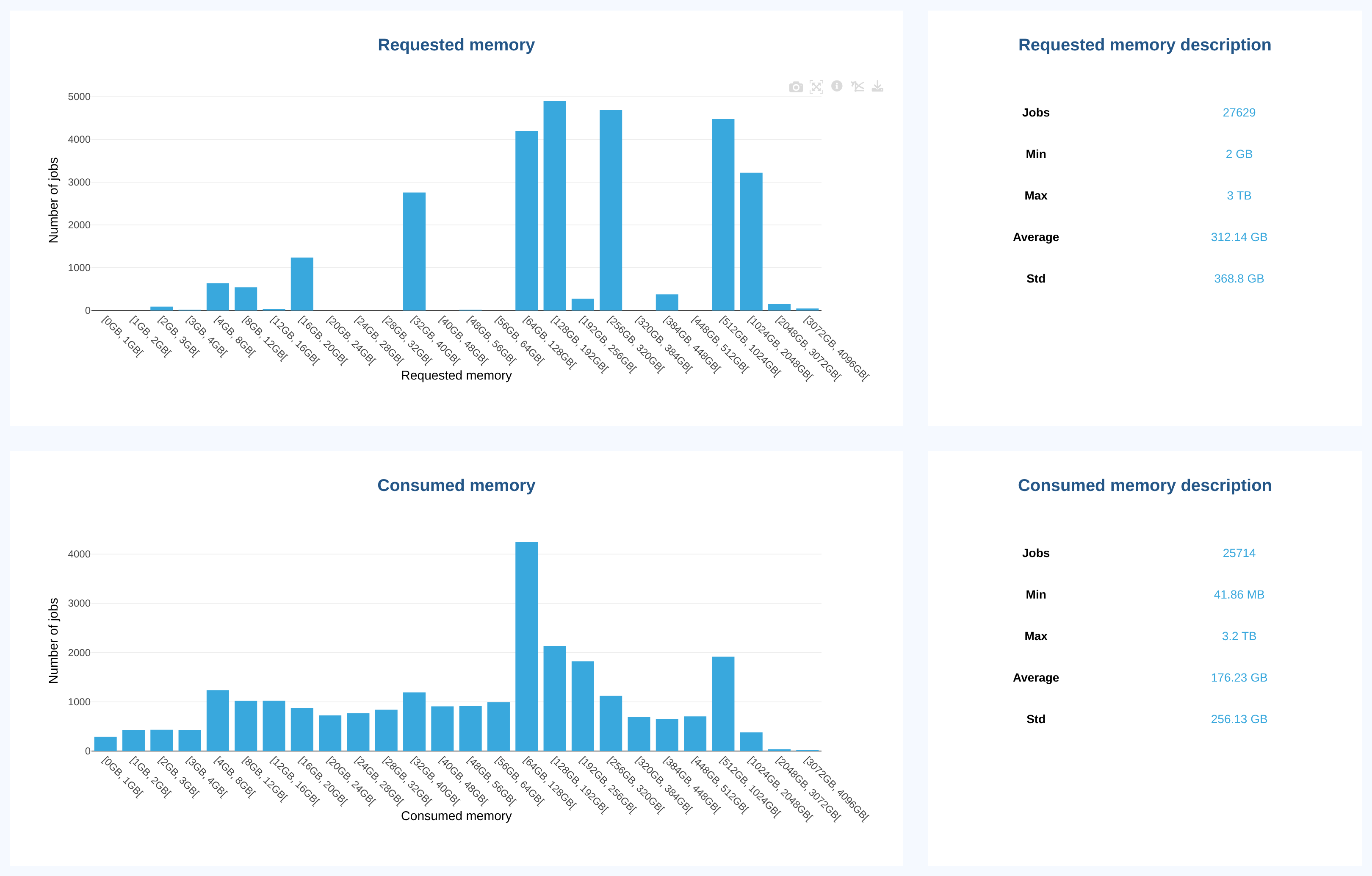
The Memory page shows three charts, each next to a table of statistics on the same jobs:
Requested memory: distribution of the memory requested by jobs.Consumed memory: distribution of the memory the job scheduler recorded for each job. What this figure covers is set by the job scheduler, not by OKA, and differs from one job scheduler to another.Consumed vs. requested memory: share of the requested memory that jobs actually used (Consumed memory / Requested memory), as a sunburst of ratio categories.
The default categories of the Consumed vs. requested memory chart are:
Overestimation: less than 50% of the requested memory was used.Moderate overestimation: 50% to 70%.Optimal: 70% to 90%.At risk: 90% to 100%.Out of Memory: 100% or more.
The center of the chart shows the number of jobs taken into account. Hover a category to see its number of jobs and its share of the total. With a grouping selected, the chart shows the categories for each group.
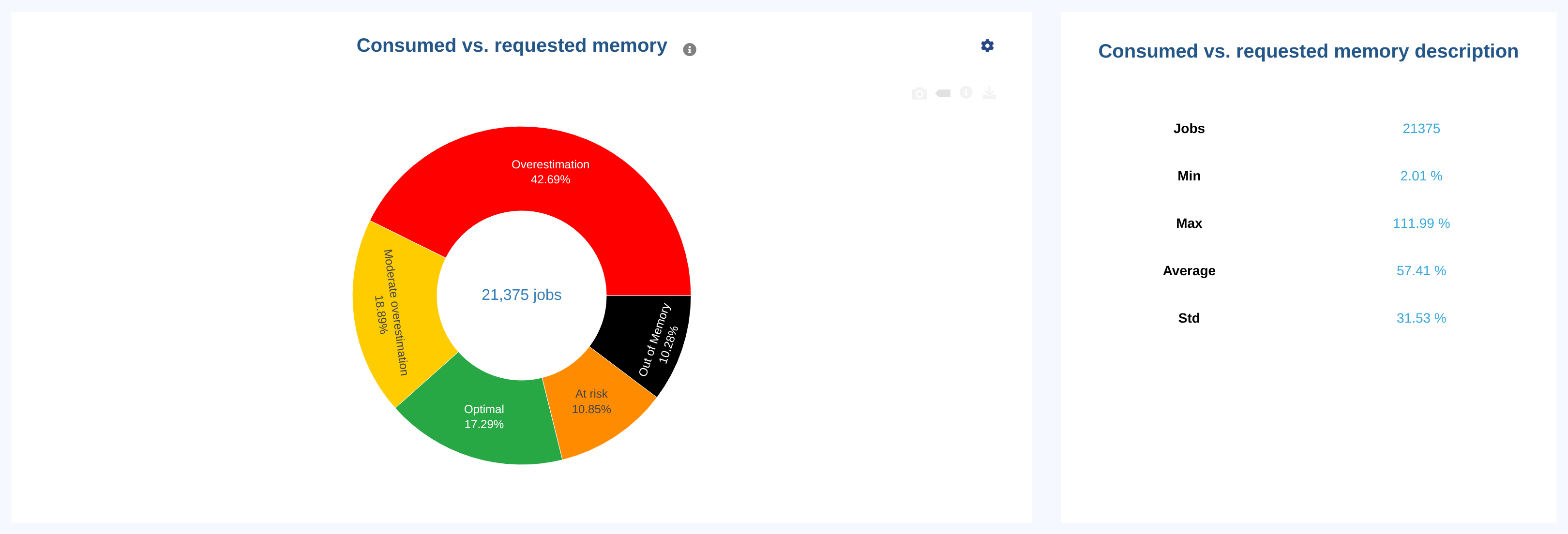
In this example, a large share of the jobs is in Overestimation: they requested at least twice the memory they used.
This is a typical sign of over-provisioning, which can be addressed through user guidance or job policies.
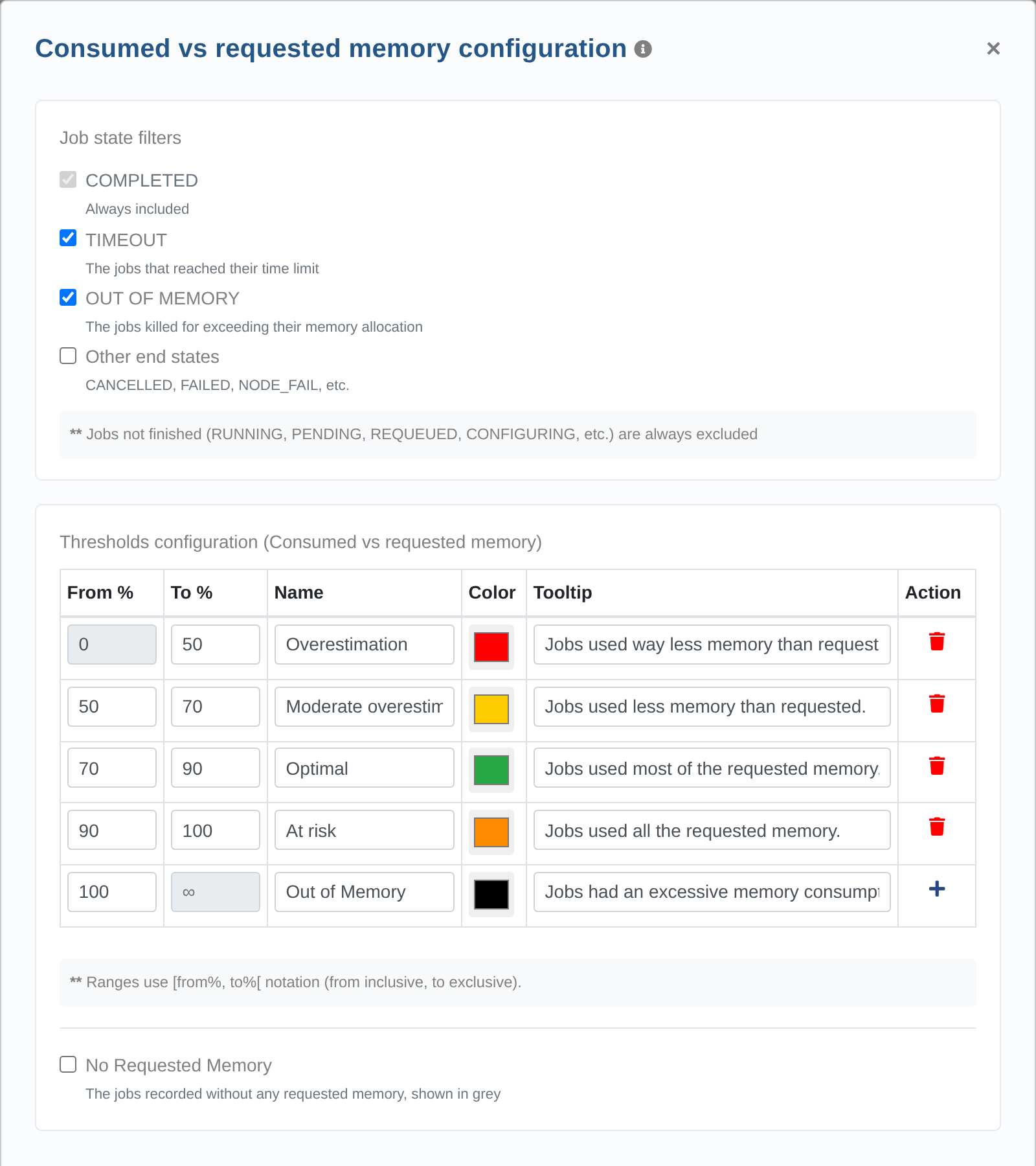
Superusers can configure the chart from its settings icon (⚙). The configuration applies to all users:
Job states:
COMPLETEDjobs are always included.TIMEOUTandOUT OF MEMORYjobs are included by default, andOther end states(CANCELLED,FAILED,NODE_FAIL, etc.) are excluded by default. Jobs that are not finished are always excluded.No Requested Memory: adds a category for jobs recorded without any requested memory. It is disabled by default.
Thresholds: the bounds of each category, in percent. Categories stay contiguous: changing the upper bound of a category moves the lower bound of the next one. At least two categories are required. Use
Defaultto restore the default categories.
The statistics table next to the chart describes the same jobs as the chart, so it follows the job state configuration.
The Throughput execution time vs. time limit chart works the same way (see Throughput).
Note
Jobs ingested before OKA v3.3.0 store this ratio in another format and may appear as Out of Memory.
See Resources to convert them.
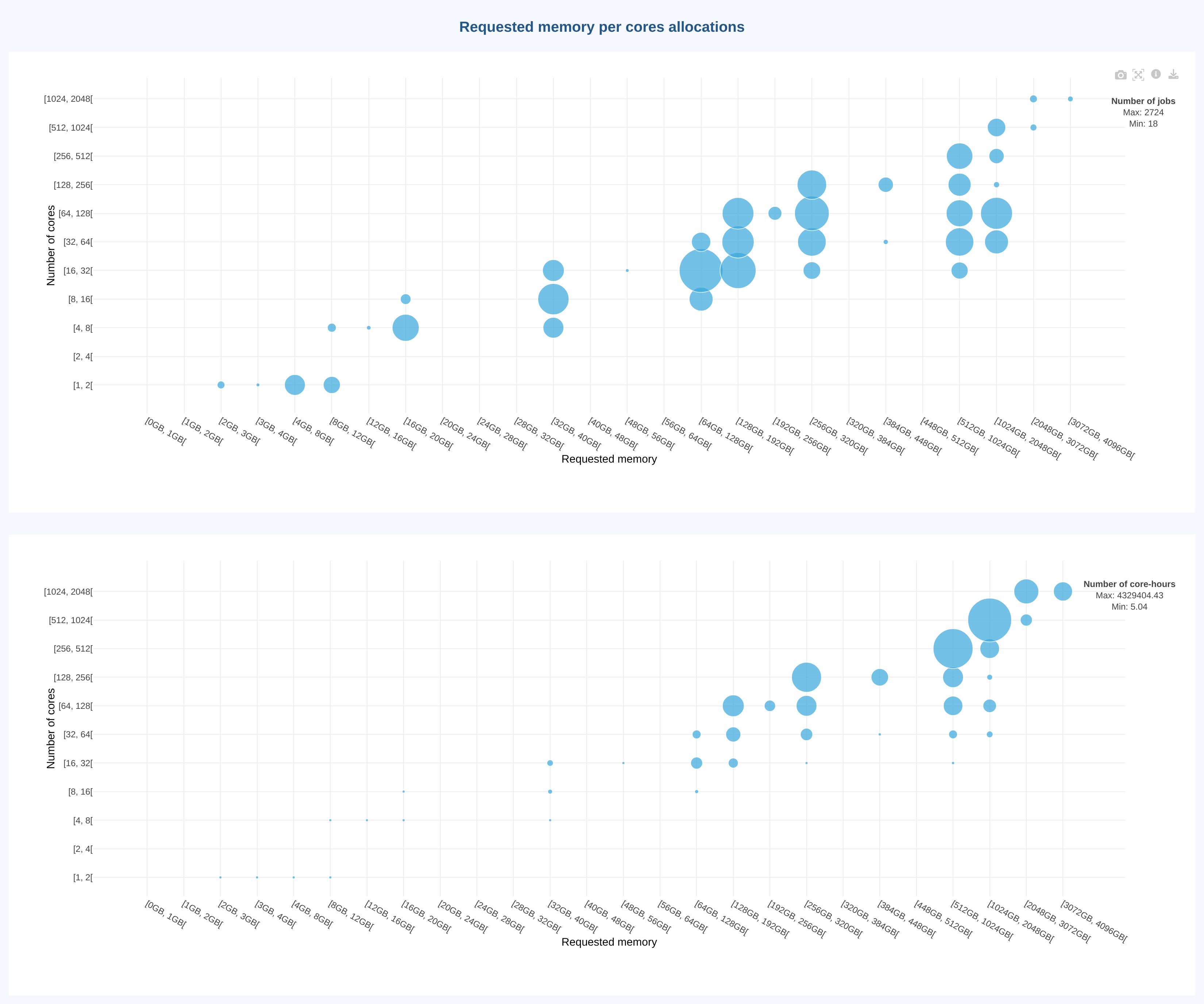
Requested and consumed memory vs. allocated cores
How it works
Use the date and advanced filters to scope the data to a specific period, partition, or user group before reading the graphs.