Data enhancers
Data enhancers are custom Python scripts that augment job data processed by OKA. They can be applied:
During log ingestion to add new computed fields to each job before it is saved in Elasticsearch.
Via the
enhancers_pipelinetask to re-process and update fields of jobs already in the database.
Data enhancers are created and managed from Management → Data Enhancers. No server restart is required; published enhancers are available immediately.
Managing enhancers
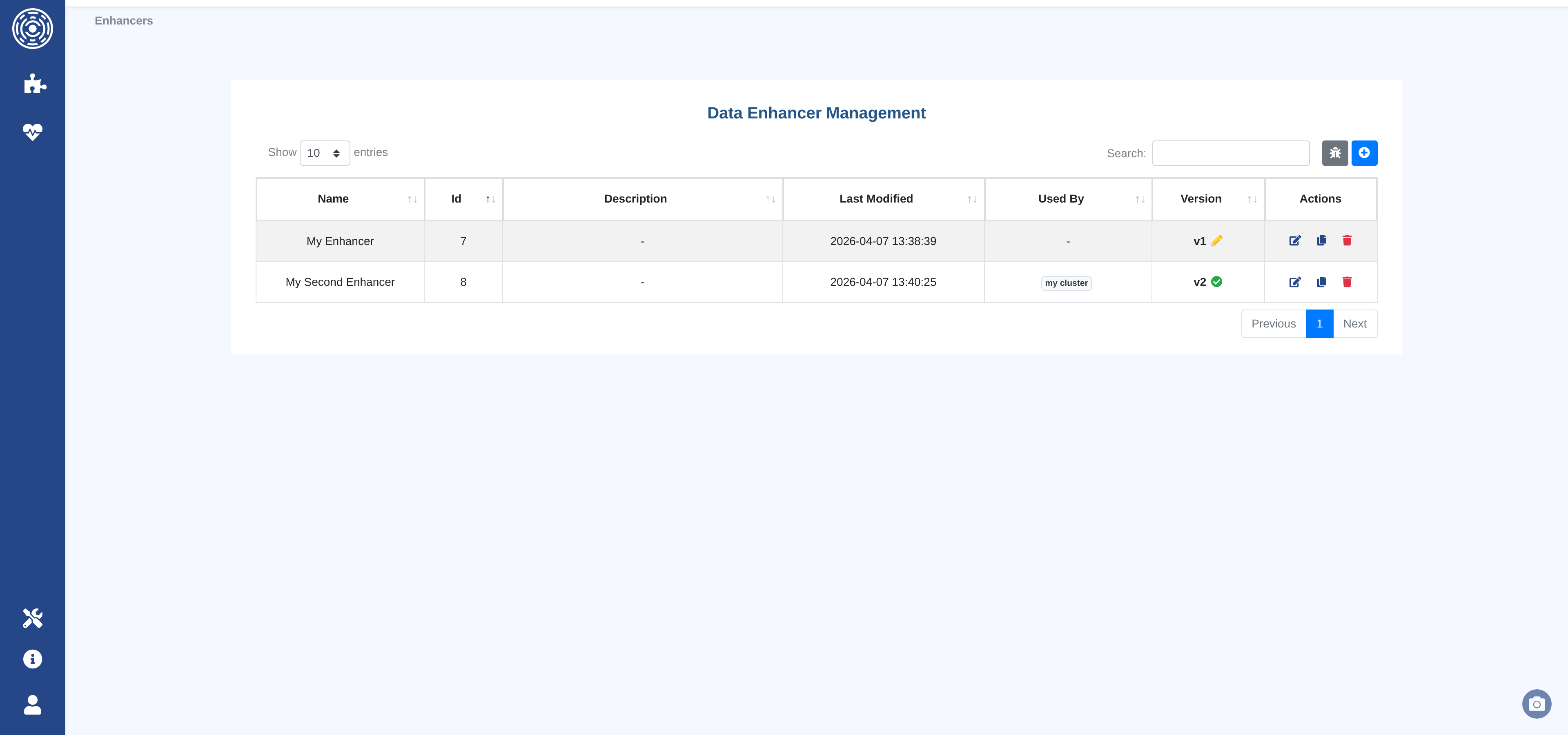
The Data Enhancers list page shows all enhancer families with their current version, publication status, and the clusters that currently use each enhancer.
From this page you can:
Create a new Data Enhancer — opens the code editor with a boilerplate template.
Edit an existing Data Enhancer — opens the editor on the current draft or creates a new draft from the latest published version.
Duplicate a Data Enhancer — creates a new family pre-filled with the code of the selected version.
Delete a Data Enhancer — removes the entire family and all its versions.
Open the test sandbox — runs any Data Enhancer against a live sample of cluster data.
Creating and editing Data Enhancers
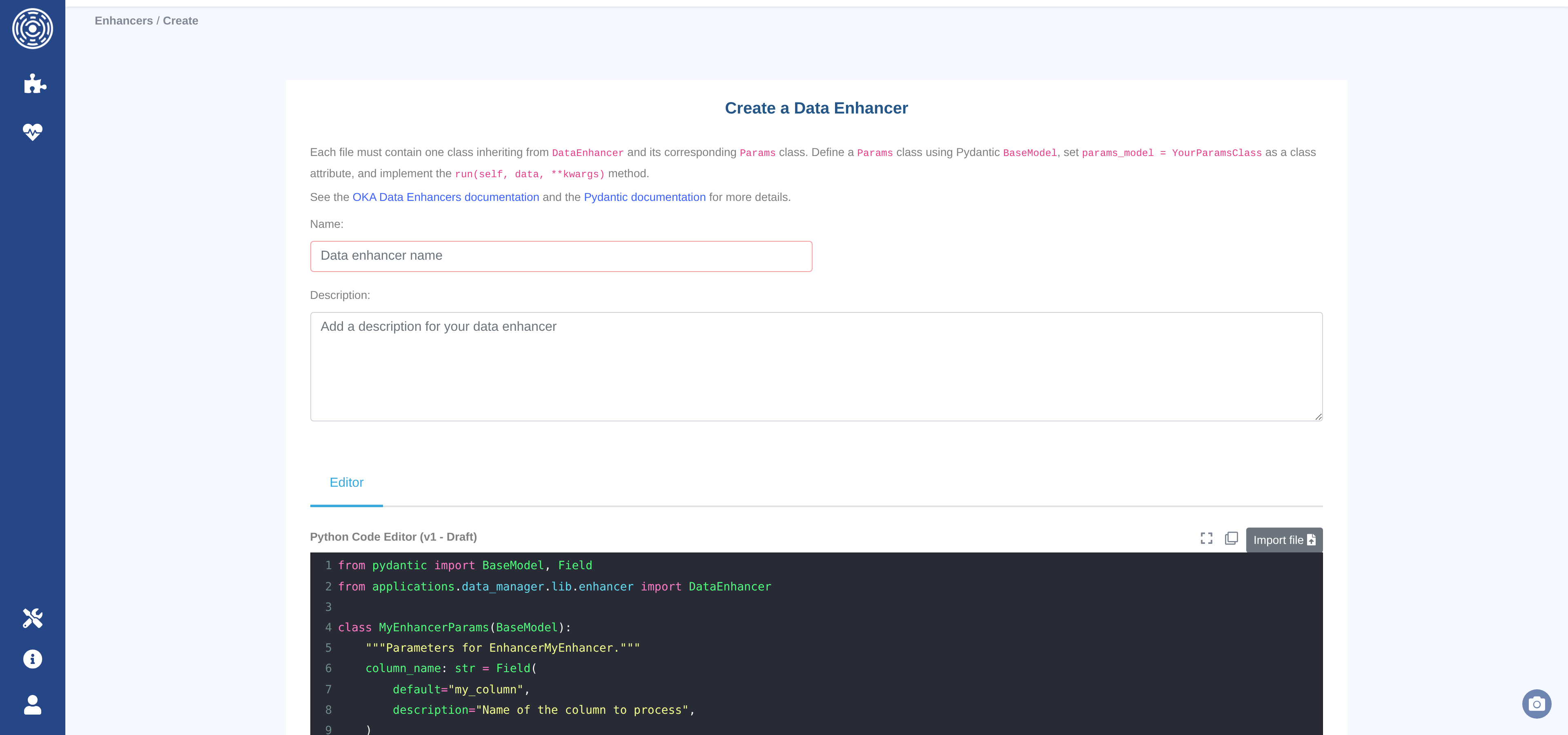
The editor page provides a Python code editor (syntax highlighting, autocomplete, fullscreen mode) alongside a name and description form.
Toolbar controls:
Import file — upload a
.pyfile from your workstation to replace the editor content.Copy — copy the current editor content to the clipboard.
Fullscreen — expand the editor to fill the browser window.
Click Create Data Enhancer (or Update Data Enhancer when editing) to save. The button is disabled until both the name and code fields are non-empty.
Draft and publish workflow
Each enhancer family follows an immutable versioning model:
Draft — the working version. Editable at any time. Only one draft can exist per family. Drafts can be tested in the sandbox but cannot be assigned to clusters.
Published — an immutable snapshot. Once published, the version can never be modified. To make further changes, save again to create a new draft (v+1).
To publish a draft, click Publish v{n} – Draft and optionally enter a commit message describing what changed. The Versions tab shows the full history of all versions for a family.
Testing with the sandbox
The sandbox (Management → Data Enhancers → Test sandbox, or the bug icon on the list page) runs one or more enhancers against a sample of real data from a cluster without writing anything to the database.
Select a cluster.
Select a sample size (100, 1 000, or 10 000 jobs).
Choose the enhancers to apply and arrange them in the desired order.
Click Execute.
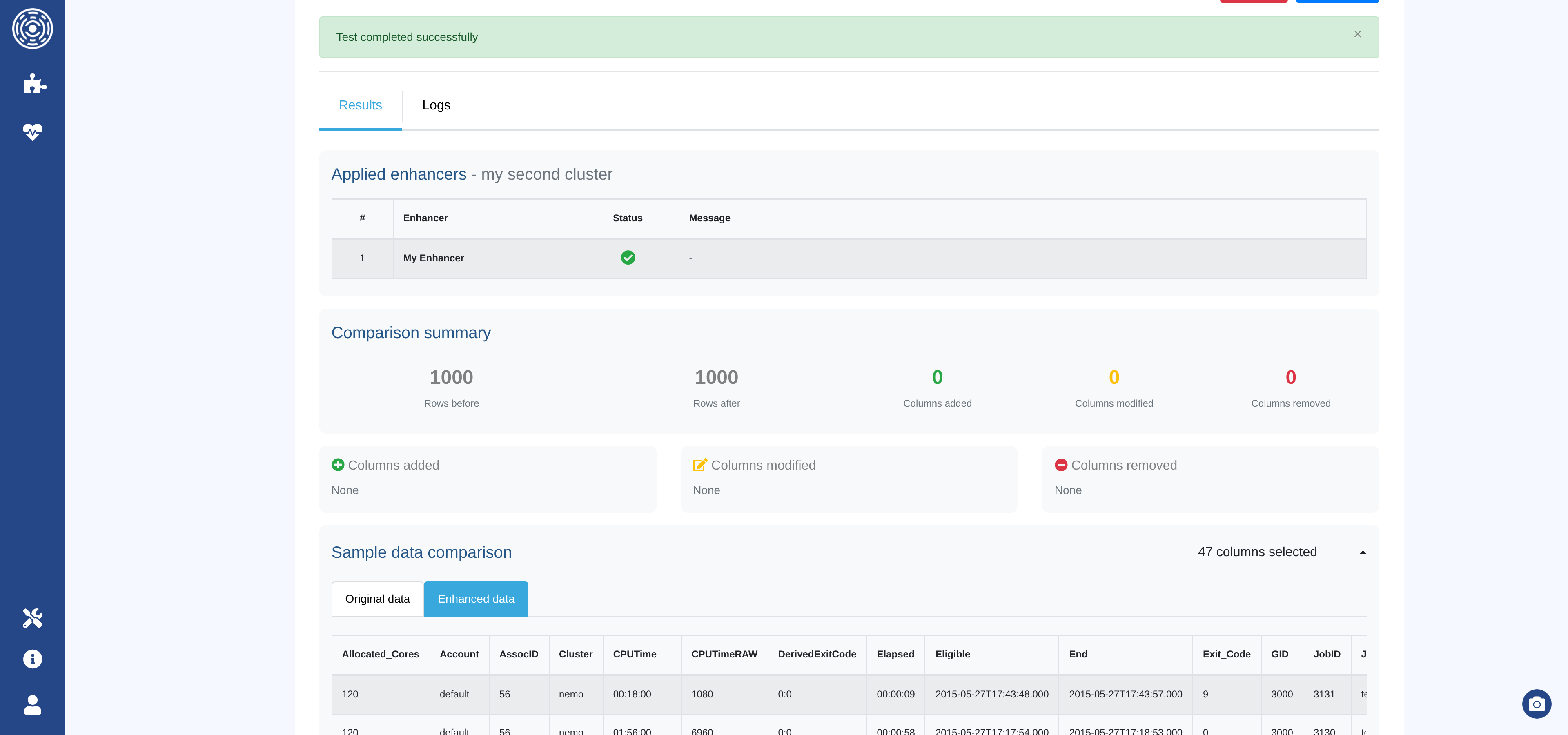
The results section shows:
Applied enhancers — execution status (success or error) for each enhancer.
Comparison summary — rows before/after, columns added, modified, or removed.
Column details — badges listing the names of affected columns.
Sample changes — before/after values for a few rows per modified column.
Sample data — side-by-side tables of the original and enhanced records.
Logs — captured log output per enhancer, colour-coded by level.
Note
Draft versions can be tested in the sandbox. This lets you verify behavior before publishing.
Assigning enhancers to clusters
Published enhancers are assigned per-cluster and per-source (accounting or monitoring) from the Accounting and Monitoring tabs of the cluster configuration form. See Accounting tab for details.
The order in which enhancers appear in the selection determines the order they are executed.
Enhancer code format
Every enhancer must contain exactly one class that:
Inherits from
DataEnhancer(from applications.data_manager.lib.enhancer import DataEnhancer).Defines a
params_modelclass attribute pointing to a PydanticBaseModelsubclass.Implements a
run(self, data: pd.DataFrame, **kwargs: Any)method that modifies the dataframe in-place.
from pydantic import BaseModel, Field
from applications.data_manager.lib.enhancer import DataEnhancer

class MyEnhancerParams(BaseModel):
    cost_per_core_hour: float = Field(
        default=0.02,
        description="Cost in currency unit per core-hour",
    )

class EnhancerMyCost(DataEnhancer):
    """Computes a job cost from core-hours and a configurable rate."""

    params_model = MyEnhancerParams

    def run(self, data, **kwargs):
        data.loc[:, "Cost"] = (
            data["Core_hours"] * self.params.cost_per_core_hour
        )
Important
Do not return data from run(). Modify it in-place.
All columns added or modified by the enhancer are saved to Elasticsearch.
Available columns
data is a Pandas DataFrame. Each row is a job.
Columns available include (but are not limited to):
Account, Allocated_Cores, Allocated_Nodes, Allocated_Memory,
Allocated_GPU, Cluster, Comment, Eligible, End, GID,
JobID, JobName, MaxRSS, Partition, QOS, Requested_Cores,
Requested_Nodes, Requested_Memory, Start, State, Submit,
Timelimit, UID.
Contact UCit Support for the full list.
Column naming rules
Custom columns — any new column whose name does not match a reserved name will automatically receive a
Cust_prefix (e.g.feature1→Cust_feature1).Reserved columns — the following column names are written without a prefix and have special meaning in OKA:
Cost— job cost in the currency configured for the cluster.Power— average power consumption in watts.Energy— energy consumption in joules.CO2- carbon footpring in kgCO2e.
Warning
Using a reserved name for a different purpose will overwrite the corresponding OKA field for every affected job.
Configuring enhancer parameters
When a Data Enhancer is assigned to a cluster, custom parameter values can be provided to override the Pydantic defaults. This lets the same enhancer behave differently across clusters (e.g. different cost rates).
Parameters are configured in the cluster’s Accounting or Monitoring tab. See Accounting tab for details.
Logging
Use the standard logging module with the oka_main logger:
import logging

logger = logging.getLogger("oka_main")

class EnhancerMyFeature(DataEnhancer):
    params_model = ...

    def run(self, data, **kwargs):
        logger.info("Running EnhancerMyFeature on %d rows", len(data))
        ...
Log output captured during sandbox execution is shown in the Logs tab of the results section.
Applying enhancers to existing data
Enhancers can be re-applied to data already stored in Elasticsearch
using the <cluster_name>_enhancers_pipeline periodic task.
OKA retrieves data in chunks (default: 1 000 jobs per chunk), applies all configured enhancers, and writes the updated rows back to Elasticsearch.
The chunk size and whether to write back to Elasticsearch are configurable via the
admin panel under Conf assets → output_enhanced_features (Additional data field):
chunk— number of jobs to process per cycle.save_to_elastic—trueto update Elasticsearch,falsefor a dry run.
Warning
If a Data Enhancer requires the full dataset to compute a value (e.g. global statistics), chunk-based processing will not produce the expected result. Options:
Set
chunkto the total number of jobs in the database.Pre-compute the values in a separate step and apply them in a second enhancer run.